Home / Source finder
Source finder for CNFans orders: pick a question, get the deciding page
Twelve questions people ask before and after a CNFans order. Choose one and the finder lights the source with the final say, then tells you where to look on that page and what to keep as proof.
Twelve questions, one deciding page each
Pick a question. The strip lights the source with the final say; dashed outlines are supporting evidence.
How to use this tool, the search box and the category cards
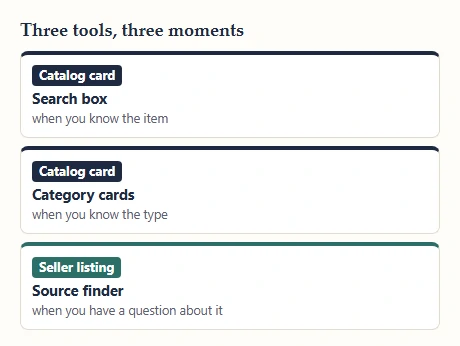
The three tools on this site do different jobs. The search box at the top of each page looks for items by product word; it suits people who already know roughly what they want. The category cards suit people who know the type of thing but not the item. The source finder above suits the moment after that, when you have an item in mind and a question about it.
How to use the finder: pick the question closest to yours, read the highlighted source, and follow the where-to-look line on that page. If your question sits between two, try both; the dashed outlines show which other sources are worth a glance. The answers are general rules that hold for most orders, not rulings on a particular one.
Reading a result: solid, dashed and gray
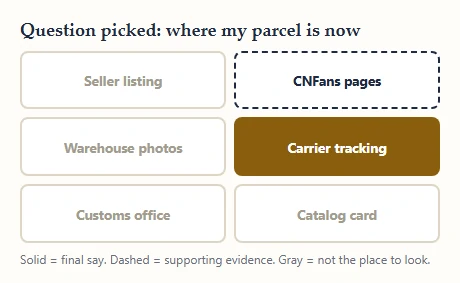
A solid fill means final say: if this source and another disagree, this one wins for this question. A dashed outline means supporting evidence. It is worth checking, and it can warn you early, but it does not settle anything on its own. Gray means the source has nothing useful to add for that question.
For example, on Does the color match the photo, the warehouse photos are solid and the seller's listing is dashed. The listing tells you which color you ordered; the warehouse photo shows what that color looks like on the item that actually arrived. The catalog card stays gray, because its cover photo is the seller's styled picture.
When two sources disagree
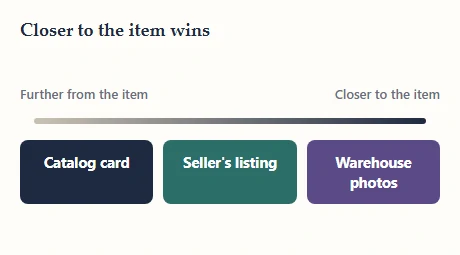
Three rules settle almost every clash. First, the source closer to the physical item wins: warehouse photos beat listing photos, and listings beat catalog cards. Second, whoever charges you decides that charge: the seller sets the item price, the agent sets its fees and line prices, customs sets duty. Third, later beats earlier for the same source, as long as you kept the earlier version.
That third rule is why the proof file matters. If a seller edits a listing after you ordered, the version you screenshotted is what you agreed to, and it is the one to show the agent.
What the finder cannot settle
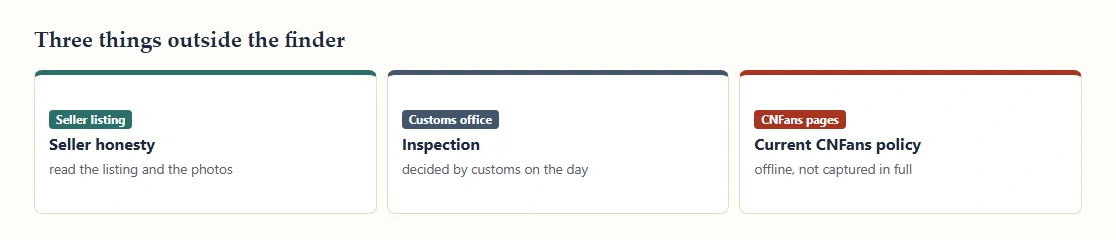
The finder tells you where the answer lives, not what the answer is for your order. It cannot say whether a particular seller is honest, whether customs will open your parcel, or what CNFans's current policies are, because those pages are offline and were never captured in full.
The source finder runs in your browser: it has no account, order lookup or submission to CNFans. Its answers identify where to check a question; they do not retrieve a live policy or the status of your order.